
CloudConnect / Integration Walkthrough
How ERP catalog, order, inventory, and pricing integrations should be built
A walkthrough of the integration pattern behind product catalog, order, inventory, pricing, discount, cost, and customer data movement.
The business problem
External catalog, portal, and commerce systems are only useful when they can trust ERP data. Product records, inventory availability, customer-specific pricing, discounts, order status, and customer references all have to stay aligned. If the integration is handled by manual exports or a fragile script, sales and customer service end up reconciling the same data repeatedly.
The real problem is not field mapping. It is operating control. The business needs to know which system owns each record, when changes move, what happens when a record is rejected, and how support can prove what happened during the last run.
How we solved it
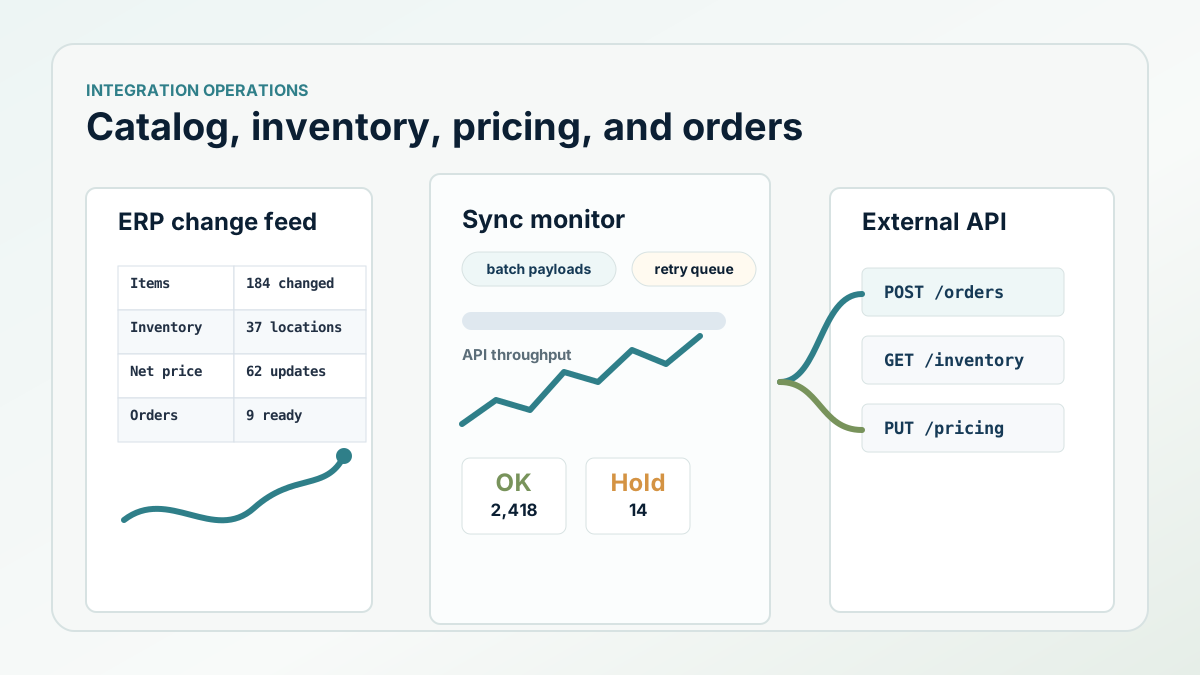
The implementation pattern split the work into focused integration jobs instead of one oversized sync. Inventory, list prices, costs, discounts, fixed net prices, customer records, and orders were handled as separate flows. Each job could decide what changed since the last successful run, build a clean payload, send it in batches, and write the result to a local watcher and log trail.
That separation made the integration supportable. If a price update failed, the team did not have to inspect the entire order pipeline. If order creation needed to pause because an external API was rate-limited, inventory and pricing could still be understood as their own processes.
What the implementation looked like
The integration used last-run timestamps to avoid reprocessing the full data set every time. ERP query modules pulled the changed records. Transformation code created API-ready objects for stock levels, list prices, costs, discounts, fixed net prices, and orders. Payloads were capped at a configured batch size so a large change set could be transmitted in controlled chunks.
For order flow, the service pulled acknowledged orders from the external system, filtered them to the right customer scope, checked whether the ERP order already existed, created or matched the ERP order, and then back-updated the external order reference when the ERP number became available. The code also handled paging, temporary locks, and rate-limit messages instead of treating every API delay as a permanent failure.
- Track last successful runtime for each integration job.
- Build separate flows for inventory, pricing, discounts, costs, and orders.
- Batch payloads before sending them to the external API.
- Log inbound, changed, unchanged, successful, and failed records.
- Back-update external references after ERP order creation or matching.
The ROI to measure
The measurable value comes from fewer manual catalog updates, fewer order status checks, less pricing reconciliation, and faster support when a customer-facing system does not match ERP. A strong integration should reduce re-entry and make failures easier to diagnose, not simply move more data.
Next step
Planning an ERP integration around catalog, order, or inventory data?
Start with record ownership, timing, validation, logging, and support behavior before committing to the build.